


Choose two matching batteries when you want a charged power module ready between working periods; choose one when your schedule gives you a dependable recharge interval. For regular wireless studio use, our starting recommendation is the two-battery package. The useful question is where charging fits into your day, rather than how many hours appear in a product headline.
A second battery can be a purposeful equipment purchase when it supports the machine you already prefer. Decide the pen's working response first, then select its power package. That keeps the purchase focused on the equipment you will actually use.

Start with your longest working block
Think about the longest period during which you want the pen available, including preparation exercises and the appointment itself. Then look at the break before the next working period. A morning session followed by a clear charging break presents a different power decision from consecutive appointments and evening practice.
One battery suits a routine with a dependable charging opportunity. Two suit a routine in which you want the next matching module ready at changeover. Prepare both before the working day, and follow the model's charging instructions when the used module returns to the charging position.
Use your experience with that exact machine, usual cartridge and settings to plan the rotation. Battery capacity describes stored charge; actual working time also depends on the complete machine and operating conditions. A second module adds another power source to the routine, while stroke and operating controls retain their separate jobs.
Three current package choices
Fold Pro: choose one or two wireless batteries
Dragonhawk Fold Pro offers Black packages with one or two wireless batteries. Both retain the seven-position 2.4–4.2 mm stroke platform. Choose Fold Pro for that adjustable working response, then choose two batteries when a ready spare belongs in your studio rotation.
This separates the decisions cleanly: you select the machine for its mechanical travel and handling, and the battery count for preparation between working periods. The display keeps voltage, battery level and elapsed time within view as you use the pen.
Pulse: a second battery for the same fixed-stroke platform
Thunderlord Power Pulse offers one- and two-battery packages in Gold or Red. Each battery is 2000 mAh. Choose Pulse for its fixed 4.0 mm stroke, frequency controls and lining/shading modes; select the second battery for rotation.
Its USB-C charging uses 5 V input. Keep the manufacturer's charging method with your preparation routine and use the battery indicator to follow the working module. The capacity figure is a specification for this battery, not a timetable for every cartridge and operating setting.
P3 Pro: Pen or Pen + Extra Power
EZ P3 Pro names the machine packages Pen + 1 Battery and Pen + 2 Batteries. Start with Pen + 2 Batteries when you want an additional power module from the outset. Choose the colour and Matte or Gloss finish around that package decision.
Existing P3 Pro owners can also select Black / Battery only / Power pack on the same product page. This accessory-only option is the route for adding a P3 Pro power pack to an existing machine. It supplies the power pack rather than another complete pen, so machine buyers should select one of the Pen packages.
Compare the complete package on the same model
For a new machine, compare one battery with two on Fold Pro or Pulse, and Pen + 1 Battery with Pen + 2 Batteries on P3 Pro. The live product page shows the current price of the selected configuration. Comparing packages within one model makes the additional equipment clear without mixing the value of different stroke platforms.
For an existing machine, begin with its exact model identity. Select the matching replacement or extra power pack for that model and use its specified charging method. Keeping the model and power-pack identity in your equipment record makes future replenishment more straightforward.
Give the spare a place in your routine
Before the first working period, prepare the charged working module and matching spare. During your usual changeover, make the prepared spare available and return the used module to its appropriate charging routine. At the end of the day, record which modules need preparation for the next session.
The rest of the setup still deserves a clear purpose. Choose the cartridge grouping for the line or coverage you are developing. For equipment exercises on synthetic surfaces, pair it with your practice materials; ATTO tattoo inks are for synthetic practice skins and models only.
Our recommendation is two matching power modules for regular wireless studio rotation, with one as a useful choice for reliably separated working periods. Select the exact package on Fold Pro, Pulse or P3 Pro once the machine itself is chosen. For the broader machine decision, the tattoo machine comparison explains the different working platforms.
Frequently asked questions
Does a second battery change the machine's stroke?
It adds another matching power module for rotation. Choose stroke and operating controls for the response you want, and battery count for the charging routine.
Which P3 Pro option adds a battery to a machine I already own?
Select Black / Replacement Battery Only / Power pack for the accessory-only P3 Pro power pack. Pen + 1 Battery and Pen + 2 Batteries are the complete-machine package choices.
Can the capacity figure tell me my session length?
Capacity describes stored charge. Plan working periods using the exact model at your normal settings and cartridge load, alongside its charging instructions.
When is one battery a reasonable choice?
Choose one when your working periods are separated by a dependable charging interval. Choose two when a prepared matching module is useful at changeover.
Compare power and stroke before ordering
EZ P6
Power and included equipment — Pen · 1 · battery / Pen · 2 · batteries
Stroke — adjustable · 2.0 / 2.4 / 2.8 / 3.3 / 3.7 / 4.2 mm
For one charged spare, choose the two-battery package.
Equipment covered in this guide
-
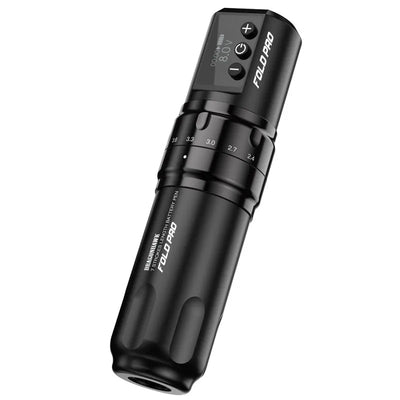 Dragonhawk Fold Pro Wireless Tattoo Machine – 7 Stroke Settings
$197.00 USD
View product
-
 Thunderlord Power Pulse Wireless Tattoo Machine | 4.0 mm Stroke
$158.00 USD
View product
-
 EZ P3 Pro Wireless Battery Tattoo Pen Machine
$212.00 USD
View product
-
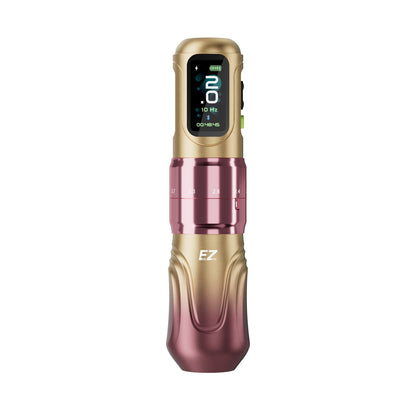 EZ P6 High-Torque Wireless Tattoo Machine | 2.0–4.2 mm
$246.00 USD
View product


