

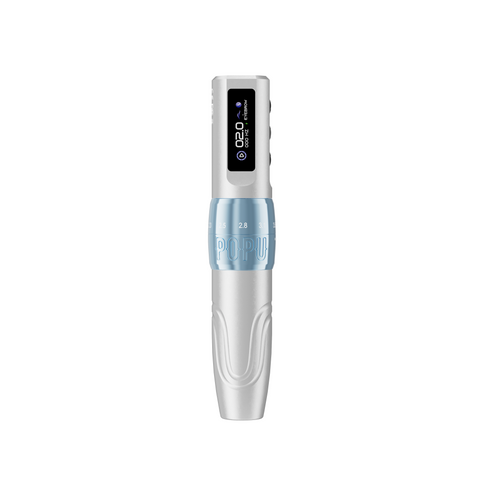
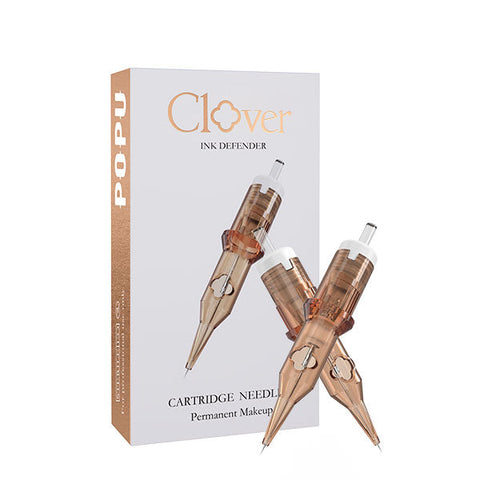

Choose U9 when you want seven selectable stroke settings, Pulse when you prefer a fixed 4.0 mm platform with frequency and lining/shading controls, or EZ P3 Pro when its six-stroke platform and finish choices fit your working preference. All three provide a standard universal cartridge route. Choose the response you want to develop, then the power package that keeps that pen ready.
A useful machine comparison begins with the work you do repeatedly: fine lines, larger contours, shading transitions or broad coverage. The machine supplies the drive; the cartridge supplies the working shape; your technique brings them together. A purposeful purchase lets you explain what the new pen will change in that setup.
Compare the working platforms
U9
- Stroke and controls
- Seven settings: 2.0, 2.4, 2.8, 3.2, 3.6, 4.0 and 4.2 mm; battery indicator and timer
- Package choice
- Black, one or two batteries
Pulse
- Stroke and controls
- Fixed 4.0 mm; 3–150 Hz frequency control; lining/shading modes
- Package choice
- Gold or Red, one or two batteries
EZ P3 Pro
- Stroke and controls
- Six settings: 2.0, 2.4, 2.8, 3.3, 3.7 and 4.2 mm
- Package choice
- Pen or Pen + Extra Power; colour and Matte/Gloss finish
U9: choose it for mechanical adjustment
The Thunderlord Power U9 lets you change mechanical travel within one pen, with seven settings spanning 2.0–4.2 mm. Choose it when changing response is part of your workflow and you want to compare that response while keeping the same universal cartridge system.
Its timer and battery indicator keep operating information visible. Select two batteries for a ready power head to rotate between working periods; choose one if your schedule has a comfortable charging interval. The Black finish keeps that package decision straightforward.
For an artist developing both lines and shading, U9 is our starting adjustable choice in this comparison. Use a familiar practice design to evaluate its response with your regular cartridge before deciding which settings belong in your routine.
Pulse: choose a fixed stroke with working-pace control
The Thunderlord Power Pulse keeps a fixed 4.0 mm stroke while offering 3–150 Hz frequency control and lining/shading modes. Frequency sets the operating pace; the fixed stroke supplies the same mechanical travel. This is a clear reason to choose Pulse if you prefer one stroke platform and want to change pace through the controls.
The 190 g body and 2000 mAh battery specification give the machine a defined handling and power format. Choose Gold or Red, then one or two batteries. The two-battery package supports rotation rather than changing the drive's stroke.
Pulse is our fixed-stroke recommendation here for artists who want that consistent mechanical platform with distinct operating modes. Its value lies in how the controls fit your way of working, rather than the number of stroke positions.
EZ P3 Pro: adjustment with package and finish options
The EZ P3 Pro offers six stroke settings from 2.0 to 4.2 mm, including 3.3 and 3.7 mm positions. Compare it with U9 when those intermediate positions matter to the response you want to develop.
Choose Pen for the starting power configuration or Pen + Extra Power for an additional power unit. Then choose the colour and Matte or Gloss finish. A finish is a visual and surface preference; the package selects the equipment you want available.
Choose P3 Pro when its stroke positions and the physical finish make it the adjustable pen you prefer to hold. Comparing U9 and P3 Pro on the same exercise is more useful than ranking them by how many settings are printed on the page.

Let the cartridge earn its role
A machine connection gives you the compatible route; the needle arrangement decides the working footprint. Round Liner (RL) brings a concentrated grouping to contours and detail. Round Shader (RS) supports smaller coverage and transitions. Magnum (M1) gives a wider arrangement for coverage, while Curved Magnum (RM) uses a curved working edge for soft transitions.
Choose the grouping for the mark, then compare count, diameter and taper within that family. The Thunder Pro cartridge guide takes you through the actual Style codes. ATTO needles use 304 stainless steel and EO sterilisation, bringing professional material and preparation standards into the working setup.
Compare power on the same basis
For regular wireless studio use, start with a second matching power unit when it fits your charging rotation. Compare the complete package on the same machine: one versus two for U9 and Pulse, Pen versus Pen + Extra Power for P3 Pro. This keeps your comparison tied to what arrives and how it will be used.
For practice, pair the pen with the appropriate cartridges and a surface suited to the exercise. ATTO tattoo inks are for synthetic practice skins and models only, never human skin. The practice setup guide develops that complete route.
The corded and wireless power guide helps you plan the power arrangement around this machine choice.
Our shortlist recommendation
Start with U9 for adjustable mechanical response; choose Pulse for a fixed 4.0 mm platform with pace and mode controls; compare P3 Pro when its six positions and finish options fit your preference. Keep the same cartridge task in view across the comparison, then choose the power package for your day.
Frequently asked questions
Do frequency and stroke describe the same thing?
Frequency describes operating cycles per second; stroke describes mechanical travel per cycle. Pulse changes frequency while its 4.0 mm stroke stays fixed.
Which adjustable model should I start with?
Start with U9 for its seven-position platform and visible operating information. Compare P3 Pro when its six positions, intermediate settings and finish options better match your preference.
Does another battery alter the response?
It adds a matching power unit for rotation. Select the stroke platform and operating controls on their own working merits.