

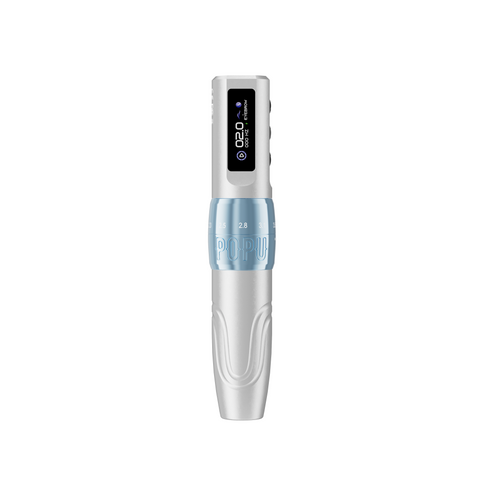
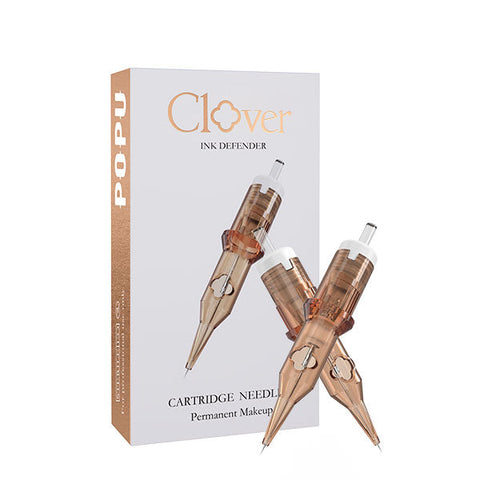
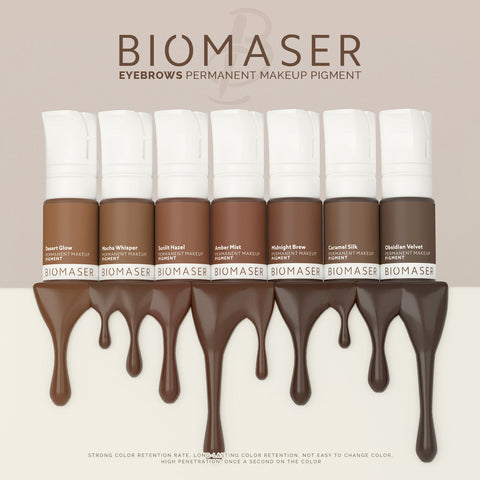

Choose wireless for freedom around the working area; choose corded for a fixed station powered from an external supply. For a studio prioritising movement and a compact setup, our starting recommendation is a wireless pen with a second matching battery ready to rotate. A corded route is a purposeful choice when the cable and power unit fit naturally into a workstation you use repeatedly.
The difference is most tangible in your hand and around the station. Wireless removes the power cable from the pen. Corded moves the energy source to the external supply. Each gives you a different preparation routine: charge and rotate batteries, or position the supply and route its cable.

Compare what changes during a session
Wireless: movement with a charging routine
A wireless pen is useful when you change position around the working area or move between workstations. The power head travels with the pen, keeping the setup compact. Choose this format when the cable-free hand movement is the feature you will use.
Keep a matching charged battery available for the next working period. Observe the machine under your normal settings so you can place charging intervals realistically. A second battery supports that rotation and lets you organise charging away from the pen currently in use.
Corded: a defined external-power station
A corded setup gives the external supply a permanent place on the workbench. Arrange the cable with comfortable reach for your normal working position and place the controls where they are convenient to operate. Choose this format when you want the supply and connection prepared as part of a regular station.
Include the cable route in the decision. The useful setup is one where the lead reaches your normal hand positions without becoming the centre of attention. Compare the complete pen, supply and supported connection rather than a pen alone.
Three wireless tattoo choices
Thunderlord Power U9 offers seven stroke settings from 2.0 to 4.2 mm, a battery indicator and timer, with Black one- or two-battery packages. Start here if adjustable response and a clear operating display belong in your routine.
Pulse offers a fixed 4.0 mm stroke with frequency and lining/shading controls, plus Gold or Red one- and two-battery packages. Choose it for the fixed mechanical platform and pace controls.
EZ P3 Pro offers six stroke settings from 2.0 to 4.2 mm, with Pen or Pen + Extra Power packages and Matte/Gloss finishes. Compare it when its intermediate positions and finish are your preferred adjustable route.
Choose the pen response first, then a two-battery or extra-power package for rotation. The tattoo machine comparison guide puts those working platforms side by side.
Choose a P6 by its grip and stroke range
The standard EZ P6 combines a 2.0–4.2 mm stroke range with a 38 mm body and a listed weight of 284 g. Choose it for a substantial grip and its high-torque coreless motor setup. The P6 Turbo offers 1.0–5.0 mm adjustment, a 35 mm body and a listed weight of 246 g with direct drive. Choose Turbo when its lighter format and wider adjustment range fit your working preference.
For either machine, choose Pen for the one-battery package or Pen + Extra Power for the machine with a second matching power pack. Make the grip and stroke decision first, then choose the battery package for your charging routine. Each product page keeps the machine, selected package and current price together.
A combined wired and wireless route for PMU
For the brow and lip side of a studio's work, the Biomaser JOG261 kit provides a concrete power choice: wired supply plus pen, wired supply plus one wireless power unit and pen, or wired supply plus two wireless power units and pen.
Choose the wired-only configuration for a fixed PMU station. Add one wireless unit for a pen that moves between the external supply and cordless use; choose two wireless units for a rotation option. The universal cartridge connection then lets you build the working tip around the brow or lip design.
This is a useful way to compare power formats within one offered setup. For the cartridge, stroke and handling decision, use the machine's working features alongside the power arrangement.
A practical way to decide
- Set up your normal position: identify where the pen, supplies and controls will sit.
- Choose the movement: prioritise cordless reach or a prepared cable route.
- Choose the power routine: matching charged batteries ready to rotate, or the external supply connected at the station.
- Complete the working setup: choose the machine response and cartridge arrangement for your intended marks.
For a replacement pen, keep the cartridge task familiar while you compare the new power routine. For a first practice setup, include the synthetic surface and transfer materials for repeatable exercises. ATTO tattoo inks are for synthetic practice skins and models only, never human skin.
Our power recommendation
Start wireless when movement is the priority, preferably with a second compatible power unit. Choose corded when a fixed, prepared station is the better fit. If you want both formats for PMU, compare the JOG261 configurations. You can choose the power format by its role in the day and the machine by the response you want to use.
Frequently asked questions
Does wireless change the needle arrangement?
The power format changes preparation and handling. Choose the cartridge arrangement separately for lines, shading or coverage, with the matching machine connection.
How do I select a second power unit?
Choose the compatible unit for the exact machine. U9 and Pulse offer one- and two-battery packages; P3 Pro offers Pen or Pen + Extra Power.
Can I have both wired and wireless in one purchase?
For the JOG261 PMU kit, choose the wired supply plus one or two wireless power units. This supplies both power routes around the offered pen.