

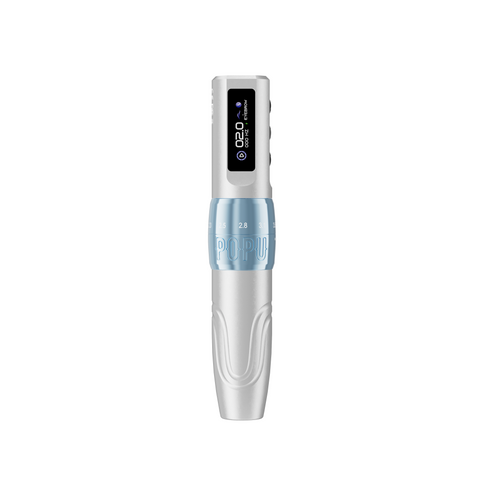

Choose Mini DIVA when a fixed 3.0 mm stroke already suits your working routine. Choose DIVA or Mini DIVA Pro when you want to change mechanical stroke between techniques. Mini DIVA Pro combines adjustment with a listed 24 mm body, two memory modes and a choice of one or two 800 mAh batteries. The useful upgrade is the control you will actually use.
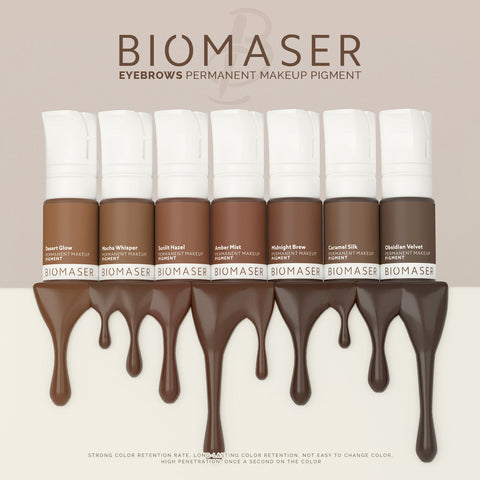
For a practitioner moving between brow strokes, local shading and lip colour, that distinction gives the shortlist a purpose. Start with your preferred working response, then choose the pen format and battery package. A colour finish can follow those decisions.
Keep a fixed setup or add stroke adjustment?
A fixed-stroke pen keeps the same mechanical travel through every cycle. Mini DIVA's 3.0 mm format is a clear starting choice when that response already belongs in your established technique and you prefer fewer machine adjustments. You can still choose your cartridge and operating settings around the work.
An adjustable pen adds a separate mechanical choice. DIVA offers six positions: 2.0, 2.3, 2.6, 2.9, 3.2 and 3.5 mm. Mini DIVA Pro also offers six positions across 2.0–3.5 mm. Choose either route when you have a reason to compare stroke settings while keeping a familiar pen in hand.
Stroke describes cyclic mechanical travel. Needle protrusion describes the tip's extension from the cartridge. Keeping those controls separate makes the comparison useful: buying a larger adjustment range gives you more machine settings, rather than prescribing one setting for every brow or lip design.
Compare the three routes
Mini DIVA
Stroke: fixed 3.0 mm. Choose it for: an established fixed-stroke routine with fewer mechanical adjustments.
DIVA
Stroke: six positions, 2.0–3.5 mm. Choose it for: adding mechanical stroke adjustment to a wireless setup.
Mini DIVA Pro
Stroke: six positions, 2.0–3.5 mm. Choose it for: adjustment together with the slim Pro format and two memory modes.
Our first recommendation is fixed-stroke Mini DIVA for someone who can already name 3.0 mm as the format they want to keep. If changing stroke is the reason for the purchase, compare DIVA and Mini DIVA Pro. The Pro name becomes meaningful when its particular body and controls answer your needs.
Where Pro adds practical value
Mini DIVA Pro lists a 135 × 24 mm aluminium body and 120 g weight. That gives you a concrete slim-format option when diameter is an important part of your purchase. Compare the dimensions with a pen you already know, including how you normally finish the grip for work.
The two memory modes give you a way to keep distinct settings available. They are useful when you return to different established brow and lip setups and want that distinction within the machine's controls. Your cartridge, chosen stroke and technique still belong in the working decision; a stored setting is one part of the setup.
Pro operates within 2–10 V. Its low-voltage start and stroke adjustment do different jobs. Longer stroke settings require more torque and may call for a slightly higher voltage for stable operation. Choose Pro because you want to manage those controls deliberately, rather than buying it around the lowest displayed number.
Choose the battery package after the machine
All three product routes offer a regular or extra-battery choice. Start with one battery when your charging routine already covers the work you plan. Choose the extra battery when a matching spare supports rotation between sessions.
For Mini DIVA Pro, both packages contain the same adjustable-stroke pen. The one-battery option includes one 800 mAh power pack; the two-battery option adds a second matching pack. POPU lists approximately 4–6 hours per pack, with actual working time affected by settings and cartridge load. Match the package to your own charging opportunities instead of treating two packs as a guaranteed working-day duration.
Keep the battery decision attached to the exact model you select. The family name is useful for comparing machines; replacement parts and package contents belong to the specific product.
Finish with a configuration you can explain
If you want to retain a familiar fixed 3.0 mm response, choose Mini DIVA and the battery option that fits your routine. If your next purchase needs adjustable stroke, DIVA provides that route. If you also want Pro's slim listed format and memory modes, choose Mini DIVA Pro.
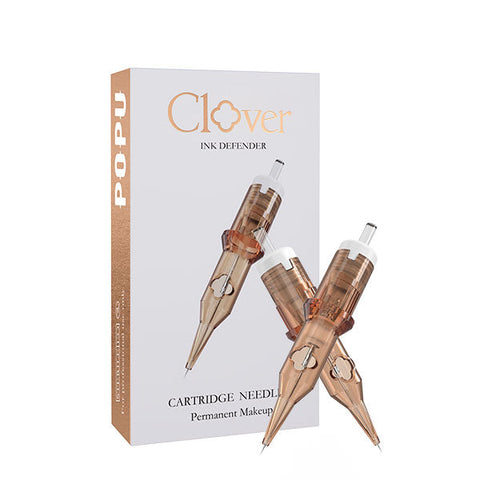
Open the selected machine, choose its finish and power package, then use the live selector for that configuration's current price and availability. For the cartridge decision, the PMU cartridge guide takes you from the mark you want to the working arrangement. That leaves each part of the purchase with a clear role: machine response, hand-held format, power provision and tip.
Questions before choosing
Does fixed stroke limit Mini DIVA to one PMU task?
Mini DIVA is offered for brow and lip work. Its fixed 3.0 mm stroke keeps the mechanical travel constant while your cartridge and operating choices serve the task. Choose an adjustable model when changing that travel is part of your established approach.
Do DIVA and Mini DIVA Pro offer the same stroke range?
Both offer six positions across 2.0–3.5 mm. Pro also gives you its listed 135 × 24 mm format and two memory modes as reasons for the choice.
Does the two-battery Pro package change the machine?
It adds a second matching 800 mAh power pack to the same Mini DIVA Pro pen. Choose it for a spare and rotation.