

THE ATTO BLACK FRIDAY EVENT
Your studio.
Your next move.
Choose your machine. Find your shades.
Build your cartridge mix.
NOV 1 — DEC 8 · Ends at noon, China time (UTC+8)
SAVE UP TO30%
On 15+ boxes of participating cartridges.
Mix eligible brands and configurations.
Make it yours.
Machines
20%OFF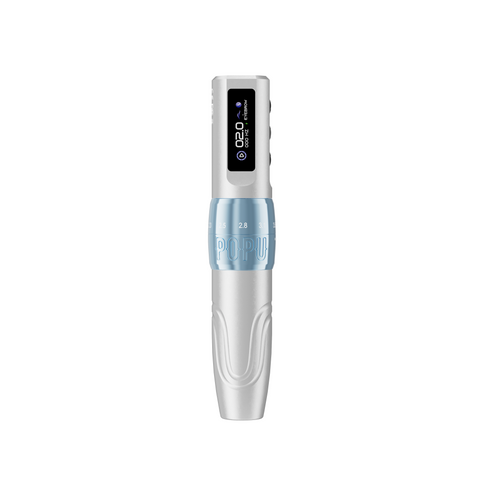
Find your fit. Fixed or adjustable stroke, with the power setup you need.
Explore machines ↗Cartridges
UP TO30%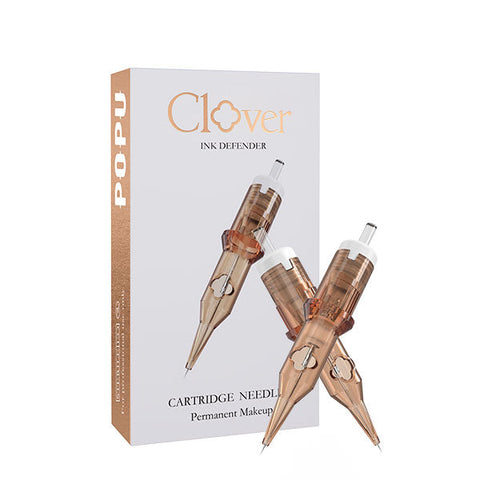
15% from one box. 20% at 6, 25% at 10 and 30% at 15. Mix eligible boxes.
Build your mix ↗Pigments
25%OFF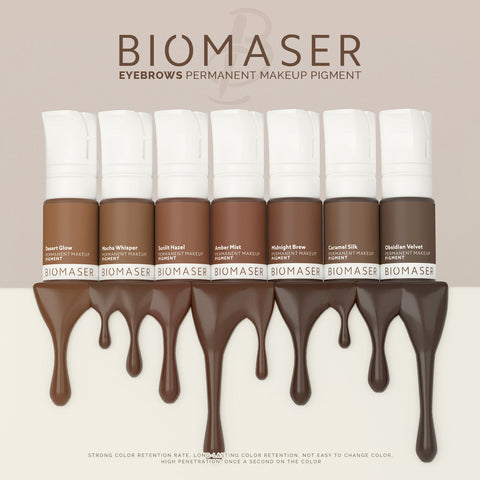
Your go-to shades, chosen by the role they play in your palette.
Find your shades ↗Automatic event discounts. One discount per item. Your final savings and shipping appear in the cart and at checkout.

MHT Bluetooth Portable Tattoo Transfer Stencil Printer
Sale price
$125.00 USD
Regular price
$199.00 USD
Skip to product information


MHT Bluetooth Portable Tattoo Transfer Stencil Printer
Sale price
$125.00 USD
Regular price
$199.00 USD
Move from mobile artwork to a working stencil with the MHT Bluetooth portable tattoo printer.
Explore the printing setupFree standard shipping on eligible orders from US$79.90 (US$199 in Mexico, Chile, Colombia and Peru). Standard delivery: 5–12 business days in eligible destinations such as the US, Germany, Belgium and Poland. Shipping policy
Shipping
Shipping options and final costs depend on your delivery destination and the products in your cart. Free-shipping thresholds vary by region. Check destination restrictions and current shipping thresholds, then review the available options at checkout.
Return & Exchange
Request a return within 30 days of receiving your order. Items must be new, in the original packaging, and include all accessories. For a change of mind, the buyer pays return shipping. Read the return policy.
Customer Service
WhatsApp: 0086 188 0749 9652
Email: ryan@attotattoo.com
Move from mobile artwork to a working stencil with the MHT Bluetooth portable tattoo printer. Its app-based workflow brings line-art conversion and image splitting into preparation, helping you organise the drawing for printing before you move to placement. Check Bluetooth connection and paper status on the display as you prepare the print.
Prepare the drawing in the mobile workflow
Send the outline from a mobile device over Bluetooth, or print from a computer over USB. The product's printing interface supports line-art conversion and image splitting, giving you tools to prepare an outline and organise separate print sections.
Use a clean outline for the working stencil, while keeping the full artwork as the reference for shading and finished appearance. That distinction lets the print carry the lines you need to follow without crowding the stencil with every element of the source image.
Portable preparation for changing workspaces
Choose MHT when you want to prepare a stencil in the app and see connection and paper alerts on the printer. Move the printer to the station where you prepare the transfer.
For a large composition, image splitting can organise separate sections. Plan their alignment in the artwork so each print has a clear place in the complete design. If your priority is a wider single-sheet stencil, compare the A3 printer instead.
Finish a repeatable printing setup
Convert the saved design to a clean outline in the app. Split the design into sections when you want separate pieces to align during placement. Print the prepared sections at working size on thermal transfer paper that matches the printer.
Browse transfer and stencil supplies to complete the paper-to-placement workflow. A saved print-ready outline makes later preparation more direct than rebuilding it from the editable drawing.
Start with the MHT portable printer for app-based outline preparation. Add 125 ml stencil transfer gel for placement. For wide designs that need one uninterrupted stencil, choose the separate A3 printer.
When is image splitting useful?
Use it when you deliberately organise a larger composition into separate stencil sections. Add clear alignment references in the artwork so the sections can be positioned as a coherent design.